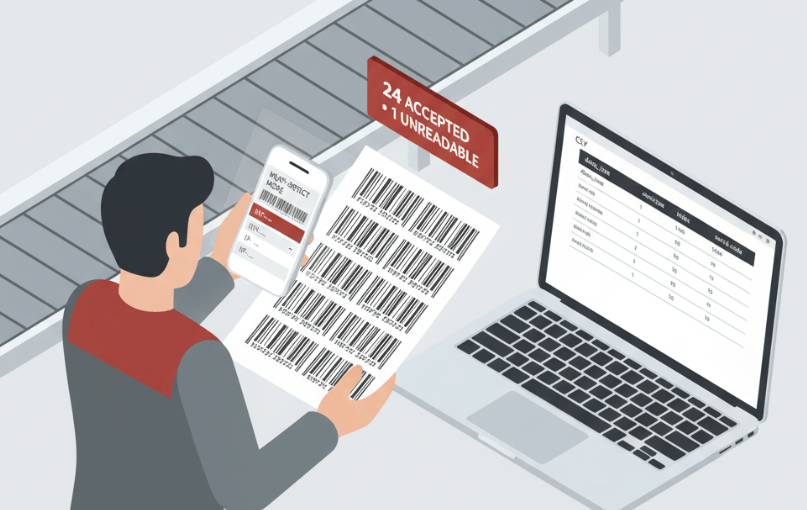
In today’s fast-paced retail, logistics, and e-commerce environments, businesses often deal with hundreds or even thousands of products, each identified by a unique barcode. Manually looking up each barcode one by one is not only time-consuming but also prone to errors. This is where tools like BarcodeReport come into play, offering a streamlined solution for bulk barcode lookups. Whether you’re managing inventory, conducting product research, or building a catalog, BarcodeReport enables you to process multiple barcodes efficiently and accurately.
What Is BarcodeReport?
BarcodeReport is a comprehensive barcode lookup platform designed to retrieve detailed product information using UPC, EAN, ISBN, and other barcode formats. It provides access to a massive global database containing millions of indexed products, ensuring that users can find accurate and up-to-date data for their barcodes. The platform supports both individual and bulk lookups, making it suitable for small businesses and large enterprises alike. With features like CSV upload, API integration, and instant search, BarcodeReport simplifies the process of identifying products and enriching data across systems.
Why Look Up Multiple Barcodes at Once?
Looking up multiple barcodes simultaneously offers several advantages over individual searches. First, it significantly reduces the time required to gather product information, especially when dealing with large inventories. Second, bulk lookups minimize the risk of human error that can occur during repetitive manual entries. Third, they enable seamless integration with inventory management systems, e-commerce platforms, and spreadsheets, allowing businesses to automate data enrichment processes. For companies engaged in product research or catalog building, bulk barcode lookup is an essential tool for maintaining accuracy and efficiency.
How BarcodeReport Handles Bulk Lookups
BarcodeReport’s bulk lookup feature allows users to upload a CSV or Excel file containing hundreds or thousands of barcodes. The platform processes these files quickly—often within 60 seconds—and returns a structured results file with product details for each matched barcode. Users do not need any coding or API knowledge to use this feature, making it accessible to non-technical staff. The results include product names, brands, images, descriptions, and other metadata, which can be directly imported into business systems for further use. This functionality is particularly useful for inventory audits, supplier verification, and marketplace listing optimization.
Step-by-Step Guide to Using BarcodeReport for Multiple Barcodes
Using BarcodeReport for bulk barcode lookups is straightforward. First, prepare a CSV, Excel, or text file with one barcode per row. Headers are optional but will not interfere with processing. Next, visit the BarcodeReport bulk lookup page and upload your file. After uploading, you’ll be prompted to complete a secure payment process, typically priced at $0.10 per barcode. Once payment is confirmed, the system processes your request and sends the results file to your email. The returned CSV includes enriched product data for each successfully matched barcode, along with flags for any unmatched entries. This simple workflow ensures that even users with minimal technical expertise can leverage powerful data retrieval capabilities.
Benefits of Using BarcodeReport for Inventory and Product Research
Businesses that rely on accurate product data benefit immensely from using BarcodeReport. For inventory managers, the ability to quickly validate and enrich barcode data helps maintain accurate stock records and reduces discrepancies. E-commerce sellers can use the platform to verify product details before listing items on marketplaces like Amazon or eBay, ensuring compliance with platform requirements. Product researchers gain access to a vast database that supports competitive analysis and market trend identification. Additionally, the platform’s support for multiple barcode formats including UPC, EAN, and ISBN makes it versatile across different industries and use cases.
See also: Key Reasons Why Robotics Companies Are Outsourcing Their Monitoring Operations
Advanced Features: API Integration and Continuous Scanning
For developers and tech-savvy users, BarcodeReport offers an API that enables real-time barcode lookups within custom applications. The API supports batch requests, allowing multiple barcodes to be queried in a single call, which is ideal for integrating into enterprise resource planning (ERP) systems or automated workflows. On the mobile front, the BarcodeReport app features continuous scanning mode, which lets users scan multiple barcodes in succession without restarting the process. This is particularly useful for warehouse staff conducting physical inventory counts or retail employees verifying shelf stock. These advanced features demonstrate BarcodeReport’s commitment to providing scalable solutions for diverse user needs.
Best Practices for Preparing Barcode Files
To ensure successful bulk lookups, it’s important to follow best practices when preparing your barcode files. Keep barcode numbers as text rather than numeric values to preserve leading zeros, which are critical for UPC codes. Place one barcode per row in a single column; extra columns such as prices or SKUs are acceptable and will survive the round trip. Avoid using merged cells or complex formatting, as these can interfere with processing. If your list contains mixed identifier types (e.g., UPCs and EANs), there’s no need to pre-clean the data—the system detects and processes each row accordingly. Following these guidelines helps maximize match rates and ensures clean, usable output.
Conclusion
In conclusion, looking up multiple barcodes doesn’t have to be a tedious or error-prone task. With BarcodeReport, businesses can efficiently process thousands of barcodes in minutes, gaining access to accurate and detailed product information without the need for technical expertise. Whether you’re managing inventory, conducting product research, or building a catalog, BarcodeReport’s bulk lookup feature, API integration, and user-friendly interface make it an invaluable tool. By adopting this solution, companies can save time, reduce errors, and enhance their overall operational efficiency.