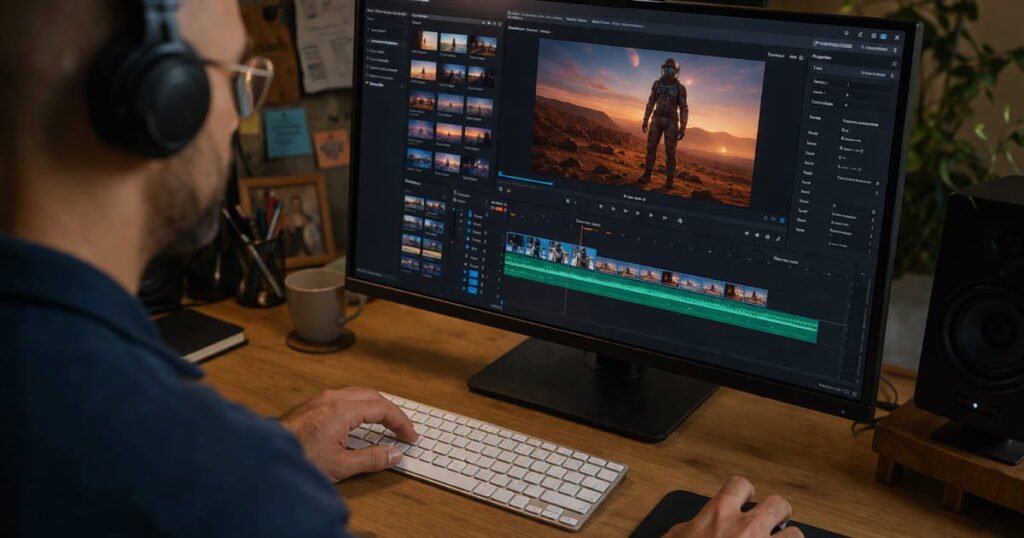
AI video generation has moved beyond simple text-to-clip experiments. In 2026, creators can start with a written idea, an existing image, a product shot, or even a rough concept and turn it into usable video footage. Marketing teams can also use these tools to develop ad variations, social content, product demonstrations, storyboards, and campaign concepts without filming every version from scratch.
The challenge is choosing a generator that fits the actual workflow. Some tools focus on cinematic generation, while others are designed around editing, effects, avatars, or broader creative production. A useful comparison should therefore consider more than visual quality alone.
Best AI Video Generators at a Glance
| Tool | Best suited for | Notable strength | Potential limitation |
| Magic Hour | Creators, marketers, agencies | Multi-model generation and an all-in-one workflow | Feature and model availability can vary |
| Google Flow | Filmmaking and multi-clip projects | Scene building and reference-driven workflows | Access and features depend on plan/model |
| Runway | Creative production | Generation combined with advanced creative controls | Heavy generation can consume credits quickly |
| Adobe Firefly | Adobe-centered teams | Video generation within a broader creative ecosystem | Some capabilities depend on partner models or credits |
| Kling | Detailed motion and multi-shot work | Strong motion-oriented workflows and native audio options | Pricing and credit usage can become complex |
| Luma | Image-led video creation | Strong focus on turning stills and references into motion | Better suited to some visual workflows than others |
| Pika | Social content and effects | Quick, effect-driven video creation | More specialized than full production suites |
There is no universal winner for every project. The right choice depends on whether the priority is image-to-video, cinematic scenes, rapid social variations, editing, marketing production, or automated workflows.
How to Choose an AI Video Generator
Before subscribing, creators and marketing teams should look at several practical factors.
Input options: Can the platform work from text, images, video, or a combination of these?
Model selection: A platform offering multiple models can be useful when different projects require different visual styles or generation characteristics.
Iteration speed: Marketing work often requires multiple versions of the same concept. The ability to create variations without rebuilding a project can save considerable time.
Workflow depth: Generating a clip is only one step. Editing, resizing, adding sound, creating variations, and preparing assets for different channels can matter just as much.
Commercial usage: Teams should check the current terms for commercial rights rather than assuming that every free generation can be used in advertising.
Cost structure: Compare credits, generation limits, resolution, queue priority, and whether unused credits expire or roll over.
Automation: Agencies and larger teams may need an API rather than a browser-only workflow.
With those criteria in mind, here are seven AI video generators worth considering in 2026.
See also: Discovering the Diet-Reward Equilibrium
1. Magic Hour
Magic Hour stands out for creators who want more than a single generation model. Its platform brings AI video generation, image creation, editing, templates, and other creative tools into one workflow. It supports both text to video and image to video Ai workflows, so users can start with a written concept or animate an existing image.
For example, a marketing team could begin with a product image, turn it into a short animated clip, create several variations, and then use additional creative tools to prepare assets for different platforms. A creator working on social content can similarly move between generation and editing without maintaining several separate accounts.
The platform also provides access to multiple AI models for different tasks. Its current model selection includes video models such as Seedance, Kling, Wan, and others, with availability depending on the workflow and plan.
Another practical advantage is accessibility. Supported core tools can be tried without signing up, allowing users to explore the workflow before committing to an account. Magic Hour also offers templates for creators who would rather start from a structured format than a blank project.
For someone comparing an AI video generator with a collection of separate specialist applications, this all-in-one approach can reduce the number of tools involved in a typical project.
Pros
- Text-to-video and image-to-video workflows
- Multiple AI models available within one platform
- Templates for faster starting points
- Free tools available to try without signup
- Web-based workflow usable on desktop and mobile browsers
- API access for automated production
- Parallel generations available on paid plans
- Credits can roll over without expiration under the current subscription terms
Cons
- Different models have different capabilities and credit requirements
- AI-generated clips still need human review and editing
- Some advanced features depend on the selected plan
Pricing
Magic Hour currently has a Free option. The Creator plan is $19 per month, or $12 per month when billed annually. The Pro plan is $39 per month, with annual billing showing a lower equivalent monthly rate. Paid plans include higher allowances, commercial use, faster queues, and multiple simultaneous generations.
For creators who need additional credits, Magic Hour also offers credit packs, and its pricing page states that those credits do not expire. Subscription credits can also roll over under the current terms.
2. Google Flow
Google Flow is aimed more toward filmmaking-style workflows than simple one-off clips. It works with Google’s video generation technology and provides tools for building scenes, using references, extending shots, and working across multiple clips.
This can make it useful for creative teams developing storyboards, concept films, product narratives, or more connected sequences. The main consideration is that capabilities can vary according to the particular model, plan, region, and Google product through which the video technology is accessed.
Pros
- Designed around multi-clip creative workflows
- Useful reference-based controls
- Suitable for visual storytelling and concept development
- Integrates Google’s generative video technology
Cons
- Features and access can vary
- Different entry points may expose different capabilities
- Teams need to monitor current quotas and usage rules
3. Runway
Runway remains relevant for creators who want generation alongside broader creative controls. Rather than treating AI video as an isolated text-to-video function, its workflow covers multiple aspects of visual production.
It can be particularly useful for filmmakers, motion designers, agencies, and creators who expect to refine generated material instead of simply downloading the first result.
Pros
- Broad creative workflow
- Text-to-video and image-to-video capabilities
- Useful for art-directed projects
- Strong fit for creators already working with generated footage
Cons
- Credit consumption needs to be monitored
- Some advanced production workflows require a paid plan
- It can be more than a casual creator needs for a simple social clip
4. Adobe Firefly
Adobe Firefly is a natural option for teams already working inside Adobe’s creative ecosystem. Its current AI video generator can create video from text or an uploaded image, and Adobe provides access to its own video model alongside selected partner models.
That makes Firefly useful when a generated clip needs to become part of a larger design and editing workflow. Marketing teams can create product visuals, social clips, B-roll, storyboards, and other campaign material within a familiar Adobe environment.
Pros
- Text-to-video and image-to-video
- Adobe ecosystem integration
- Access to multiple video models
- Useful editing and refinement workflow
- Suitable for marketing and design teams
Cons
- Generative credits and plan limits need attention
- Partner-model capabilities are not identical to Adobe’s own model
- May be less appealing if a team does not already use Adobe tools
5. Kling
Kling is worth considering when motion, detailed scenes, and increasingly sophisticated video generation are central to the project. It appears across current 2026 comparisons as an option for detailed motion and multi-shot generation, including workflows involving native audio.
A product marketer could use it to explore a more dynamic product sequence, while a creator might use it for action-oriented or visually complex clips.
Pros
- Strong focus on generated motion
- Multi-shot workflows
- Native audio available in supported generations
- Useful for cinematic and product concepts
Cons
- Credit costs can vary considerably by settings
- Generation limits and features change between plans
- Generated footage may still require conventional editing
6. Luma
Luma is particularly relevant for image-led creative work. Starting from an existing image can be useful for product visualization, mood boards, social content, and cinematic experiments where the visual starting point has already been approved.
The workflow makes sense for teams that already have a still image and want to explore how it could move rather than generating an entirely new scene from a text description.
Pros
- Strong image-led workflow
- Useful for creative exploration
- Suitable for product and cinematic concepts
- Reference-based workflows can help guide generation
Cons
- Not every project benefits equally from an image-first approach
- Generated clips still need quality control
- Pricing, models, and limits should be checked before production
7. Pika
Pika is a practical choice for creators focused on short-form social content and visual effects. Its appeal is less about replacing an entire production pipeline and more about quickly turning an idea or existing media into an engaging short clip.
For example, a social media manager could experiment with a visual transformation for a Reel or short promotional post before deciding whether the concept deserves a larger production.
Pros
- Accessible for short-form content
- Effect-oriented workflows
- Useful for quick creative experiments
- Suitable for social-first concepts
Cons
- More specialized than full creative production suites
- Short effects may still need editing before publication
- Not every marketing campaign needs its particular style of workflow
Realistic Use Cases for AI Video Generators
The most useful applications are often smaller and more practical than trying to generate an entire commercial in one prompt.
Social media variations: A team can create several visual concepts from the same campaign idea and select the strongest direction for further editing.
Product marketing: Existing product photography can become short animated clips for landing pages, advertisements, or social posts.
Storyboards and previsualization: Creative teams can turn written concepts into rough visual sequences before committing to a traditional shoot.
B-roll and background footage: AI-generated clips can help fill visual gaps in explainers, presentations, and social videos.
Creative testing: Marketing teams can rapidly explore different hooks, settings, camera movements, and visual concepts before investing in polished production.
The important distinction is between generation and finished video. AI can produce a useful starting clip, but marketers still need to check product details, faces, text, logos, motion, continuity, audio, claims, and licensing requirements before publication.
Final Thoughts
AI video generators in 2026 are increasingly becoming creative workspaces rather than simple prompt boxes. Runway can suit teams that want broader creative controls, Firefly makes sense for Adobe-centered workflows, Google Flow targets filmmaking-style projects, while Kling, Luma, and Pika each have useful strengths for particular types of generation.
Magic Hour is particularly interesting for creators and marketing teams that want an all-in-one workflow. Its combination of multiple models, image-to-video and text-to-video tools, templates, rapid variations, browser-based access, API support, and a free no-signup starting point makes it practical to explore without immediately building a complicated multi-tool stack.
Ultimately, the best workflow is the one that matches the actual production requirement. Start with the input you already have, test the relevant generation mode, calculate the cost of revisions rather than only the first generation, and keep a human editor involved before anything reaches a customer-facing campaign.